
GZIP compression is a technology that compresses text files when they’re transferred between the server and your browser. Every file has a certain size, and the smaller it is, the faster the server can send it to your computer. All modern browsers support this technology, so enabling this option can significantly speed up page loading in your browser.
To enable compression in the ISPmanager panel, go to the WWW Domains section. Select the domain you need and click the Edit button
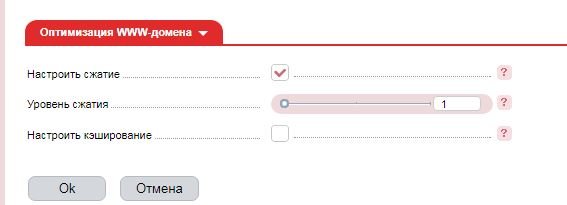
Then find WWW Domain Optimization and check the box next to
Specify the compression level (available values from 1 to 9)
After configuring, click the OK button
To see how much your site’s data was compressed, you can visit a special service