
Everything a SLIMHOST client needs in one place: billing login, payment, support and the terms of service.
Quick actions
Manage your services, invoices and balance
Ask technical support a question
A quick answer, no registration needed
Payment methods and how to top up your balance
Answers to frequently asked questions
Earn by recommending SLIMHOST
Getting started
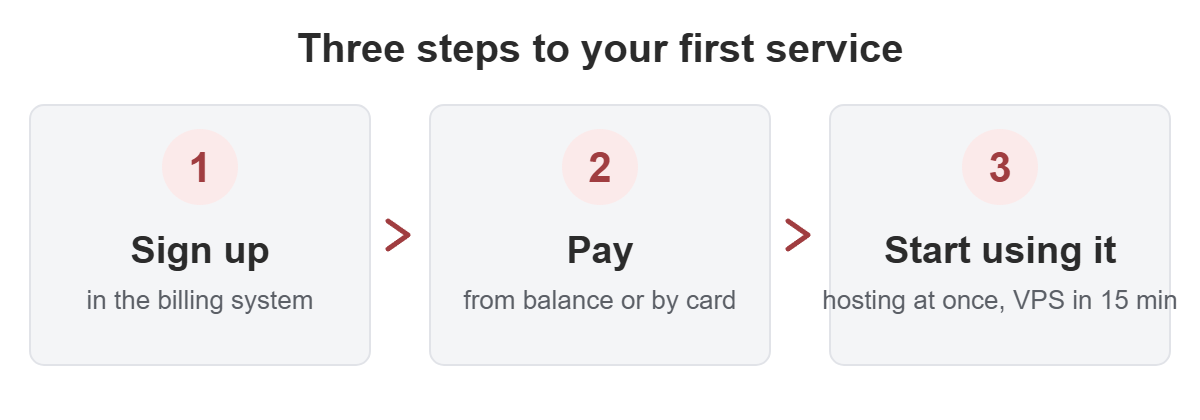
- Sign up in the billing system
Create an account once — after that all your services live in a single dashboard. Sign up.
- Order and pay
Pick a plan and a payment method. Hosting is activated right away, a VPS is handed over within 15 minutes of payment.
- Start using it
Moving a site from another host? We’ll migrate it for free — all that’s left is to switch DNS.
Payment methods
Legal
Terms for using our services
Service regulations and client support procedures
Agreements and contracts for our services
Rules for registering and using domain names
Quick answers for clients
A short guide for clients who are just getting started or want to check a detail before placing an order.
Getting started for clients: how do I begin?
First, create an account in the billing system — you only do it once. After that you order hosting, a VPS, an SSL certificate or a domain from your personal dashboard, top up your balance and manage every service and invoice in one place. You don’t need a separate login for each service.
How fast is a service activated?
Shared hosting is activated right after payment, and a VPS is handed over within 15 minutes. Once active, the service appears in your dashboard, where you can see its status, renewal dates and all issued invoices.
How do I pay an invoice?
You can pay from your personal balance, with Visa or MasterCard, through Privat24, Monobank, PayPal or in cryptocurrency. The most convenient way is to top up your balance once and pay for renewals from it, so you don’t have to enter payment details every time. The “Payment for services” page describes each method in more detail.
Will you help me move my website?
Yes. If your site already runs on another host, we will migrate it for free. All that is left for you is to switch DNS to the new addresses once you have checked that everything works. Create a ticket in the billing system or write in the live chat and we will tell you what information we need.
Support for clients: where do I go if something isn’t working?
Technical support is available around the clock, including weekends. The live chat is the fastest option and needs no registration. If the question requires checking something on the server, create a ticket in the billing system — that way the whole conversation history stays in your dashboard. You can also email support@slimhost.com.ua. Before you write, take a look at the FAQ: answers to the most common questions are already collected there.
Rules for clients: where can I read the terms?
All documents are gathered in the Legal block above. The Terms of Use describe how our services may be used, the Regulations cover how clients are served, the Agreements hold the contractual terms, and the Domain Rules set out the requirements for registering and using domain names (which also follow the ICANN policies). We recommend reading them before your first order.
Do you have an affiliate program?
Yes. You recommend SLIMHOST to friends or to your own clients and earn from their orders. The terms and sign-up are on the affiliate program page, and you can manage your earnings from the same personal dashboard.
What if I forgot my dashboard password?
Use the password recovery option on the billing login page — the instructions will be sent to the email address you used when registering. If that mailbox is no longer available or recovery does not work, write to support from another address and tell us which services are linked to the account, and we will help confirm that the dashboard really is yours.
Which services can I order?
With SLIMHOST you can order shared hosting, a VPS, a VPN, SSL certificates and domain registration. Our servers are located in Europe and the USA, so you can choose the location closest to your visitors. All services are linked to a single account, and you can find the plans and terms on each service’s page.
How do I avoid missing a renewal?
The status of every service and the date of the next payment are shown in your dashboard. To make sure a renewal goes through on time, check in advance that your balance is sufficient or top it up in the way that suits you. If anything about an amount or a period is unclear, create a ticket and we will check the invoice and explain it.
Can’t find an answer?
Support is available around the clock, including weekends: live chat, billing tickets and email.