
Good WordPress hosting is not a plan with a “WordPress” sticker on it, but a server with the right parameters: a current PHP version, enough memory, NVMe drives, caching and daily backups. They decide whether your site opens in half a second or in three. Below are 10 parameters worth checking before you buy, a resource table for different types of sites and a checklist to speed up WordPress.
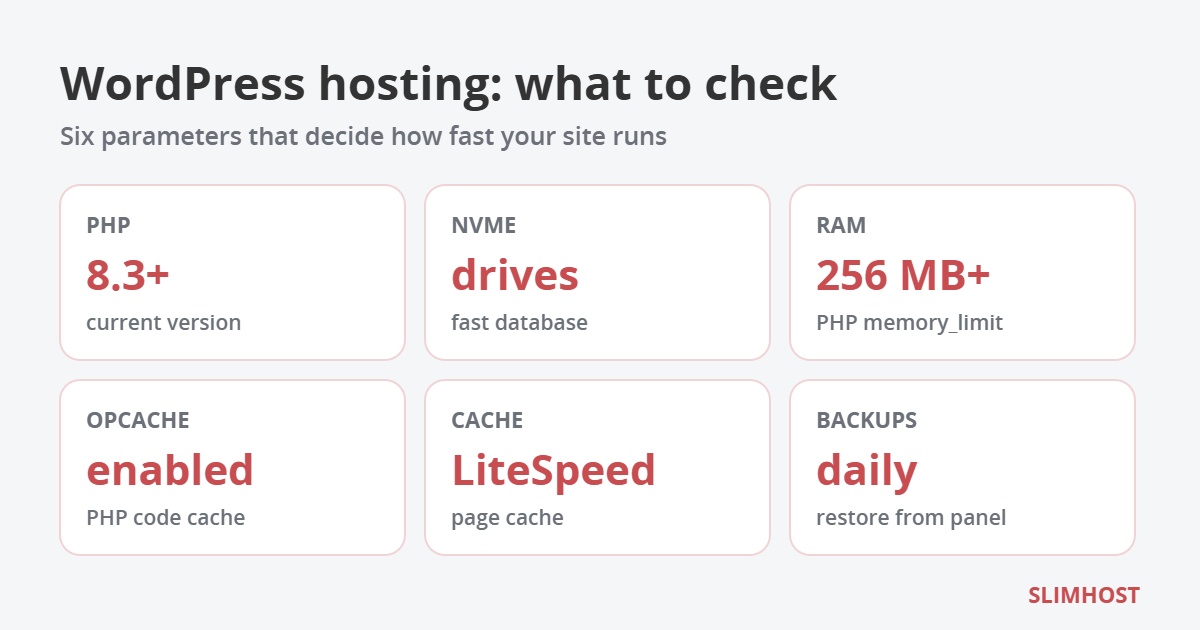
Table of Contents
Official WordPress requirements in 2026
WordPress developers publish recommended server requirements on wordpress.org. Any WordPress hosting should meet them:
- PHP 8.3 or newer;
- MariaDB 10.11+ or MySQL 8.0+;
- HTTPS support;
- Apache or Nginx web server (any other server with PHP and MySQL support, such as LiteSpeed, will also do).
WordPress will still run on PHP 7.4, but such versions no longer get security updates. So if a WordPress hosting provider only offers outdated PHP, look for another one.
10 parameters that matter for WordPress hosting
1. PHP version and the ability to switch it
Every new PHP 8 branch is faster than the previous one, and WordPress on PHP 8.x is noticeably faster than on 7.x. It is important not only to have a current version but also to switch it yourself in the panel: an old plugin may need PHP 7.4, while a new project wants 8.4 or 8.5. Ideal WordPress hosting lets you choose the version for each site separately.
2. PHP memory limit (memory_limit)
WordPress, your theme and plugins run within the memory PHP allows. A simple blog needs 128–256 MB, while WooCommerce recommends at least 256 MB. Page builders like Elementor, product imports and thumbnail generation use even more. When memory runs out, the site shows a “white screen” or an “Allowed memory size exhausted” error.
3. NVMe drives
Every WordPress page means dozens of database queries and reading hundreds of files. NVMe drives handle these small operations several times faster than SATA SSDs, and HDDs are not worth considering for WordPress at all. The difference is most visible in the admin area and in stores with filters, which is why modern WordPress hosting runs on NVMe only.
4. Web server and page caching
The biggest speed-up comes from page caching: ready HTML is served without running PHP. It works best when the cache is built into the web server — that is how LiteSpeed and OpenLiteSpeed work together with the free LiteSpeed Cache plugin. On Apache caching is done by WordPress plugins, which also works, just a bit slower. Good WordPress hosting lets you choose the web server.
5. OPcache
OPcache keeps compiled PHP code in memory so the server does not parse WordPress files on every request. It should be enabled by default — it is a free, several-fold speed boost.
6. A database without hard limits
Check the MariaDB or MySQL version and whether there are limits on the number of databases, users and queries. WordPress hosting with an hourly query limit is a typical reason why a store on a cheap plan suddenly goes down in the middle of a sale.
7. Backups and restore
A plugin update that breaks the site is a common WordPress story. That is why you need daily backups of files and the database, kept for at least two weeks, and the ability to restore the site in a couple of clicks in the panel without waiting for support.
8. SSL and HTTP/3
A free Let’s Encrypt certificate with automatic renewal is the bare minimum. HTTP/3 support additionally speeds up loading on mobile networks, where packet loss is common.
9. SSH, WP-CLI and Git for developers
SSH access lets you use WP-CLI: update plugins, search and replace a domain in the database or create users with a single command. Git deployment is handy if you develop your own theme or plugin. For agencies, WordPress hosting without SSH is a serious limitation.
10. Sending email from the site
WordPress sends emails about orders, registrations and password resets. Find out the hourly sending limit and whether SPF and DKIM are set up for your domain — otherwise emails will land in spam. For bulk mailings it is better to connect a separate service via SMTP.
How many resources different WordPress sites need
How many resources to plan for in your WordPress hosting depending on the project — and which SLIMHOST plans match:
| Type of site | Disk | PHP memory | SLIMHOST plan |
|---|---|---|---|
| Blog, business card site, landing page | up to 2 GB | 512 MB | Start — up to 5 sites |
| Company site on Elementor, several sites | up to 10 GB | 768 MB | Optimal — up to 20 sites |
| WooCommerce store with a few thousand products | up to 25 GB | 1 GB | Premium — up to 40 sites |
| Web agency with dozens of client sites | up to 60 GB | 2 GB | Corporate — up to 80 sites |
| Large store or portal | up to 160 GB | 4 GB | Maximum — unlimited sites |
Choose a plan with headroom: images, plugin backups and cache take up more space over time than it seems at the start.
How to speed up WordPress on your hosting: checklist
Even the best WordPress hosting will not save a site with a dozen heavy plugins, so go through this list:
- Switch the site to PHP 8.3 or newer if your plugins support it.
- Enable page caching — on OpenLiteSpeed via the LiteSpeed Cache plugin.
- Convert images to WebP and enable lazy loading.
- Remove inactive plugins and themes, and keep one plugin instead of three similar ones.
- Limit post revisions in wp-config.php with
define('WP_POST_REVISIONS', 5); - Update core, theme and plugins regularly, and make a backup before updating.
- If your audience is spread across countries, connect a CDN for static files.
How to check the speed of a WordPress site
Before changing your WordPress hosting or buying a bigger plan, measure where the time is actually lost:
- PageSpeed Insights — shows Core Web Vitals for mobile and desktop and suggests what slows the page down.
- TTFB — time to first byte. If it is over 0.8 seconds even for a simple page, the problem is on the server side or in slow plugins. If TTFB is fast but the page is still heavy, images and scripts are to blame.
- The Query Monitor plugin — shows slow database queries and the plugins that run them.
- The MySQL slow query log on your hosting — helps find queries that take seconds.
It often turns out that the culprit is not the WordPress hosting but a single heavy plugin, and replacing it helps more than upgrading the plan.
WordPress security: what the host does and what you do
WordPress is the most popular CMS in the world, so it is the most frequent target of bots. Part of the protection is handled by your WordPress hosting, and part by the site owner.
On the hosting side:
- account isolation, so that a hacked neighbouring site does not affect yours;
- daily backups stored separately from the site;
- current versions of PHP and server software;
- protection against password brute-forcing and DDoS attacks at server level.
On your side:
- updating core, theme and plugins — most WordPress hacks happen through outdated plugins;
- strong passwords and two-factor authentication for administrators;
- plugins and themes only from the official directory or trusted developers, no “nulled” versions;
- as few administrators as possible and separate roles for editors.
When a WordPress site needs a VPS
Shared WordPress hosting covers the needs of most sites. Consider moving to a VPS if:
- the site keeps hitting CPU limits even after optimization;
- your store has tens of thousands of products and complex filters;
- you need your own services — Redis, Elasticsearch, queues, separate workers;
- you need root access and custom server settings.
A VPS gives you guaranteed resources, but server administration becomes your job.
WordPress hosting at SLIMHOST
SLIMHOST shared hosting runs on servers in Germany, Austria and the USA and is set up so that WordPress runs fast without extra tuning:
- NVMe drives on all plans — from 2 to 160 GB;
- PHP from 5.6 to 8.5, switchable in the panel, with OPcache and ionCube;
- Apache or OpenLiteSpeed web server of your choice and LiteSpeed Cache;
- memory_limit from 512 MB to 4 GB depending on the plan;
- a CMS installer and a WordPress assistant in the HestiaCP panel;
- SSH, Git deployment and the MySQL slow query log;
- free SSL certificates, HTTP/3 and daily backups kept for 14 days;
- free website transfer and a 7-day trial without payment.
Prices start at 85 UAH/month when paid yearly, and a 12-month order includes a free domain in .com.ua, .co.ua or .biz.ua. If you are still choosing where to host your site, also read how to choose hosting in Europe or the USA.
Frequently asked questions
Do I need special “WordPress hosting”?
No. “WordPress hosting” is mostly a marketing label. What matters are the server parameters: PHP version, memory, disks, cache and backups. If they meet the requirements, regular shared hosting works just as well as dedicated WordPress hosting.
How many WordPress sites can I host on one plan?
It depends on the plan: at SLIMHOST from 5 sites on Start to an unlimited number on Maximum. The key is that all sites have enough disk space and PHP memory.
Which PHP version should I choose for WordPress?
PHP 8.3 or newer, if your theme and plugins are compatible. Switch the version on a copy of the site first, or during low-traffic hours, and check the key pages.
Can I move a WordPress site without downtime?
Yes. The site is copied to the new hosting and checked, and only then do you switch DNS — the old site keeps working the whole time. At SLIMHOST the transfer is free.